
Microsoft Advertising with Beaconry: the sixth active channel
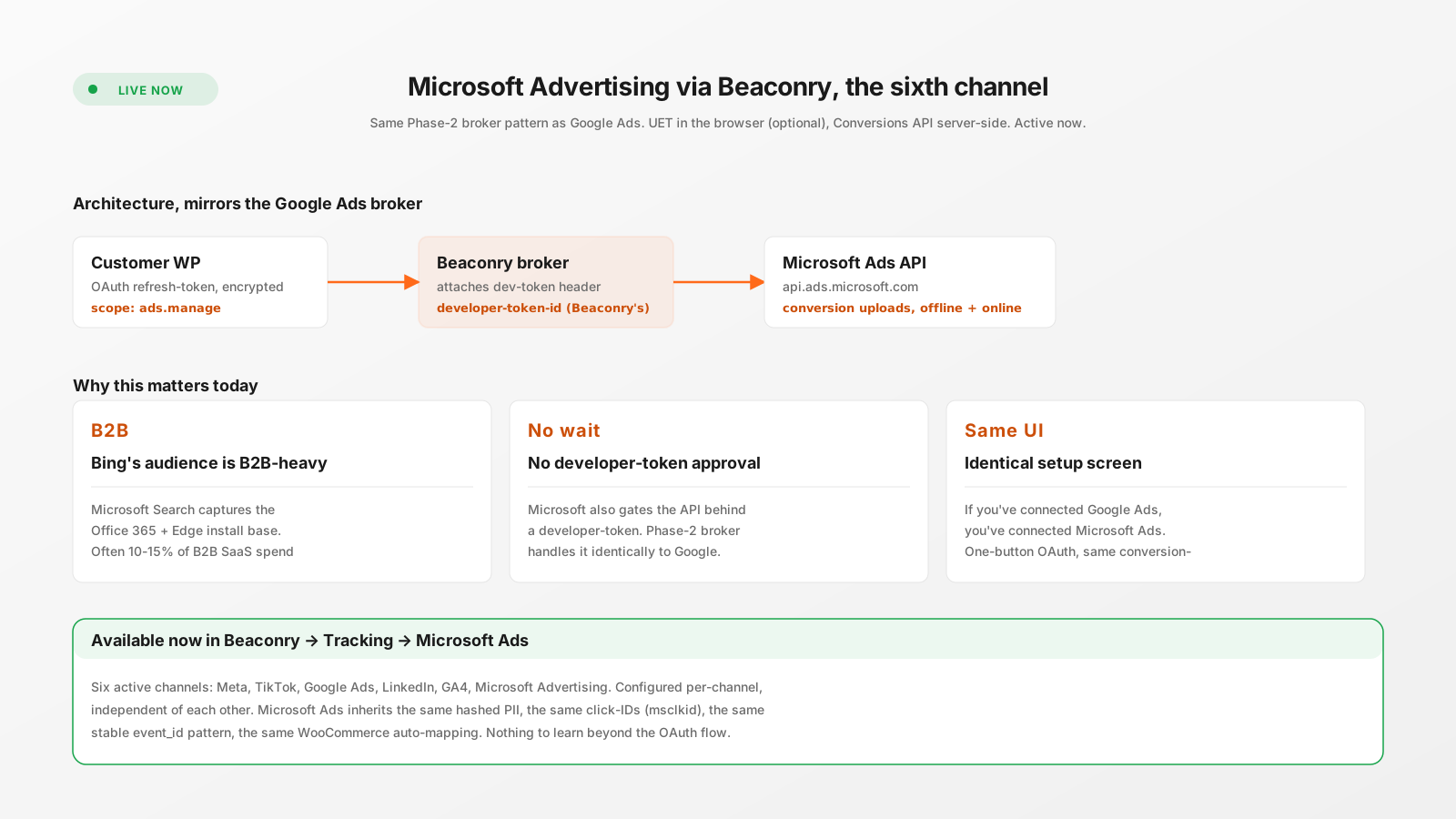
Microsoft Advertising is now the sixth active channel in Beaconry, alongside Meta, TikTok, Google Ads, LinkedIn and GA4. Same Phase-2 broker pattern as Google Ads, same OAuth flow, same conversion-action mapping. msclkid in, conversions out.
Why Bing matters in 2026
Microsoft Search dominates a specific demographic: the Office 365 install base, Edge users on Windows 11, anyone with Bing as the default browser-search who hasn't switched. That audience tilts heavily B2B and SaaS. For B2B-led campaigns, Microsoft Ads typically captures 10-15% of the spend that would otherwise go to Google, often with lower CPAs because there's less ad-buyer competition.
What changed in 2025 was that Microsoft tightened the Bing Ads conversion API in a way that mirrors Google's developer-token gating. The same "4-6 week approval" friction we wrote about for Google now applies to Microsoft. Same pattern, same fix.
Setup, identical to Google Ads
- Connect with Microsoft. Beaconry → Tracking → Microsoft Ads. OAuth consent screen, scope
ads.manage. Approve. Refresh-token stored encrypted in WordPress. - Customer ID. Microsoft Ads → top-right corner. Numeric ID, paste into Beaconry.
- Map conversion-actions. In Microsoft Ads → Tools → Conversion goals → Create conversion goal. Same six-event mapping as Google Ads (Purchase, AddToCart, etc.). Copy each goal's detail URL into the matching slot in Beaconry.
- Test event. Click "Send Microsoft Ads test event". HTTP 200 means broker accepted. Conversion appears in Microsoft Ads in ~3 hours.
What Beaconry sends
- msclkid: Microsoft's click-ID, captured from URL parameter on landing, persisted in
nl_ext. The strongest single attribution signal. - Hashed PII: SHA-256 email and phone, used for Microsoft's enhanced-matching pipeline.
- Conversion value, currency, timestamp: standard payload fields.
- Stable event_id: SHA-256 of order ID for purchases. Microsoft deduplicates on event_id within a 7-day window.
Hybrid mode with UET
The Microsoft Universal Event Tag (UET) is the browser-side equivalent of the platform pixels we've covered. Hybrid mode loads UET alongside server-side dispatch, both fire the same event with the same event_id, Microsoft deduplicates. Off by default, optional for retail B2B audiences where match-rate matters.
Edge cases
- Search Partners: Microsoft Ads runs on Yahoo, Ecosia, DuckDuckGo (DDG-Microsoft search-syndication partnership). Conversions from search-partner clicks include msclkid the same way; no special handling needed.
- LinkedIn audience overlap: Microsoft owns LinkedIn, but the two ads platforms are separate. Configure both Microsoft Ads and LinkedIn slots in Beaconry; events flow to whichever is configured.
- Multiple ad-account hierarchies: Microsoft Ads supports manager accounts (similar to Google Ads MCC). The OAuth scope covers the manager; specify the sub-account Customer ID in Beaconry.
Why Phase-2 broker for Microsoft too
Microsoft's developer-token approval has the same characteristics as Google's: 4-6 week timeline, written application, back-and-forth with Microsoft's reviewers. Customer-side self-deployment is technically possible but rarely worth the wait for small-to-mid customers. Beaconry's broker handles it, you connect via OAuth and skip the wait.
Same architectural property as Google Ads: customer refresh-tokens stay in WordPress, broker only attaches Microsoft's developer-token, no body persistence, encrypted in transit. Phase-2 architecture applies identically.
Take-away
Microsoft Advertising as a tracking channel is most relevant for B2B/SaaS shops where Bing's demographic carries 10-15% of paid traffic. With Beaconry it's a 5-minute setup that mirrors Google Ads exactly. If you've already wired up Google Ads in Beaconry, you've already learned everything needed for Microsoft Ads.